
Start here
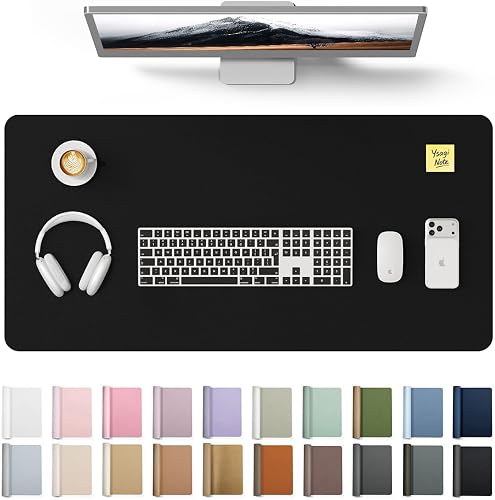
Orbitkey Large Desk Mat with Cable Channels
- Best for
- Premium leather and magnetic access
- Skip if
- You want RGB lighting
Herbie's Picks
Desk Mats Updated Sep 27, 2026
Desk mats with built-in cable routing keep wires out of sight and off the floor.
 Orbitkey Large Desk Mat with Cable Channels
Users who want a premium leather finish and quick cable access
2
Orbitkey Large Desk Mat with Cable Channels
Users who want a premium leather finish and quick cable access
2
 Function101 Desk Mat Pro Cable Routing
Mid-size desks needing simple cable pass-through
3
Function101 Desk Mat Pro Cable Routing
Mid-size desks needing simple cable pass-through
3
 Corsair MM700 RGB 3XL Extended Mouse Pad
Gamers who want RGB lighting and a wide mouse area
4
Corsair MM700 RGB 3XL Extended Mouse Pad
Gamers who want RGB lighting and a wide mouse area
4
 Aothia Large PU Leather Desk Pad
Users seeking a simple wipe-clean surface at a broad size
5
Aothia Large PU Leather Desk Pad
Users seeking a simple wipe-clean surface at a broad size
5
 ANUBISGX Felt Desk Pad with Rear Slots
Minimalist setups that prefer a soft writing surface
ANUBISGX Felt Desk Pad with Rear Slots
Minimalist setups that prefer a soft writing surface
Look for slots along the rear edge or a liftable front lip that lets cords slip underneath the mat. Some include magnetic flaps or Velcro loops to bundle wires in place.
PU leather wipes clean and resists spills while felt offers a softer feel for writing. Sizes range from compact 36-inch widths for single-monitor desks to 48-inch lengths that cover dual-monitor spreads.
| Pick | Best for | Skip if |
|---|---|---|
| Orbitkey Large Desk Mat with Cable Channels | Premium leather and magnetic access | You want RGB lighting |
| Function101 Desk Mat Pro Cable Routing | Mid-size desks with simple pass-through | You need a very wide surface |
| Corsair MM700 RGB 3XL Extended Mouse Pad | Gaming with lighting effects | You avoid extra USB cables |
| Aothia Large PU Leather Desk Pad | Easy-clean broad coverage | You need deep cable channels |
| ANUBISGX Felt Desk Pad with Rear Slots | Soft minimal writing surface | You dislike dust-collecting felt |
Start here
5 picks with live Amazon ratings
The Orbitkey mat uses a raised rear section with hidden routing slots. Cables feed through without visible loops on the desktop.
The leather surface stays flat and resists scuffs from daily use. Edges are stitched to prevent fraying over time.
Setup takes minutes once the mat is positioned against the wall or monitor stand.
The Function101 mat features two rear openings sized for standard power and HDMI cables. Cords drop straight down behind the desk.
Its slim profile fits under most monitor stands without adding height. The surface provides enough grip for a mouse while remaining smooth for writing.
Daily adjustments are easy because the mat lifts from the front without disturbing the cable bundle.
The Corsair mat covers a wide area and includes small clips along the back to hold cables in place. Lighting can be synced with other Corsair gear.
The fabric surface supports fast mouse movements without drag. Thickness adds slight cushioning under the wrists.
RGB effects require a separate controller or USB connection that adds one more cable to manage.
The Aothia pad uses slightly raised borders that keep small cables from sliding off the back. It works best with flat ribbon cables or USB-C leads.
The PU leather cleans easily with a damp cloth. The mat stays flat after unrolling and does not curl at the corners.
It lacks dedicated channels so thicker power bricks still need separate management.
The ANUBISGX felt pad includes two rear slots sized for standard cables. Wires route under the mat and exit toward the wall.
Felt absorbs minor desk bumps and provides a quiet surface for keyboards. The natural material resists sliding once positioned.
Thicker cables may still peek out at the sides because the slots are narrow.
Most use rear slots, raised edges, or under-mat space so cords drop behind the desk instead of running across the surface.
Yes. Mats with liftable fronts or magnetic flaps let you adjust cables without fully removing the mat.
No. All listed mats route cables with built-in features and sit flat on the desk without screws or adhesives.